
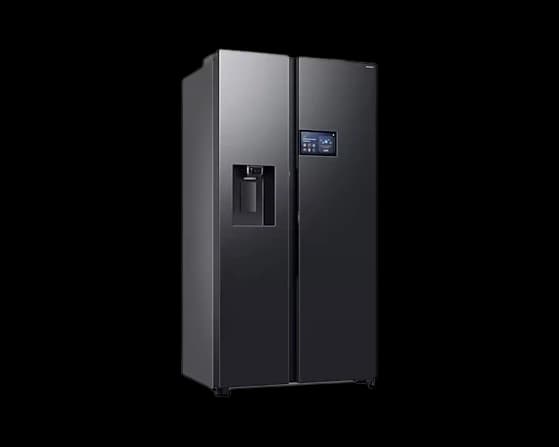
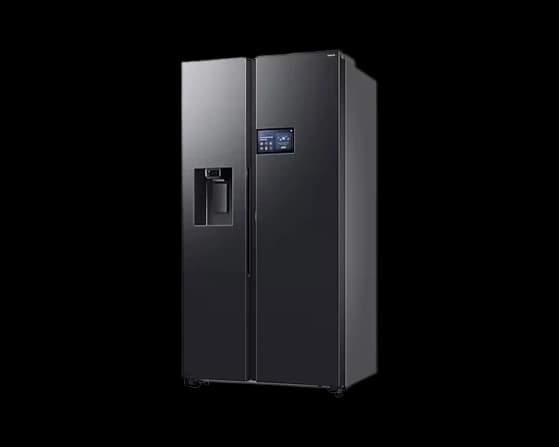
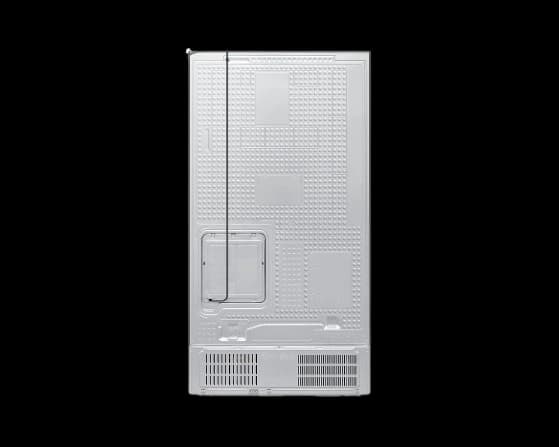
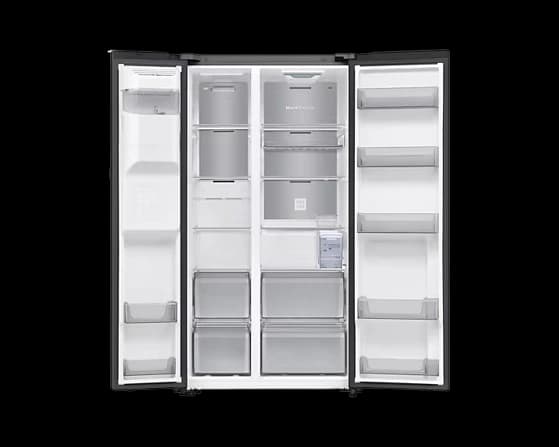
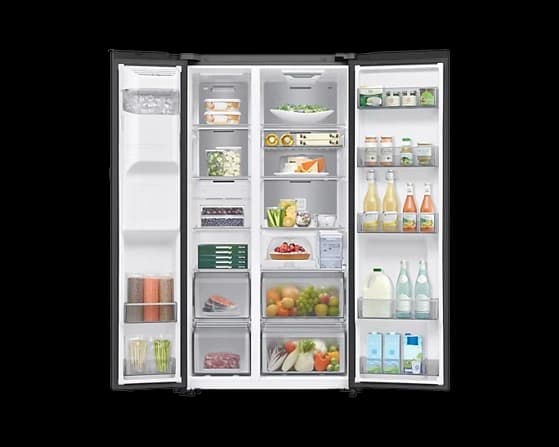
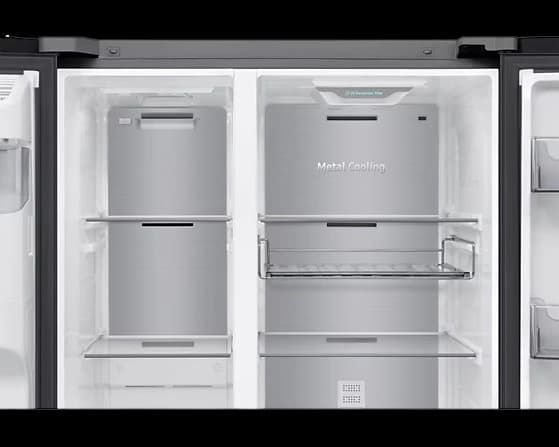
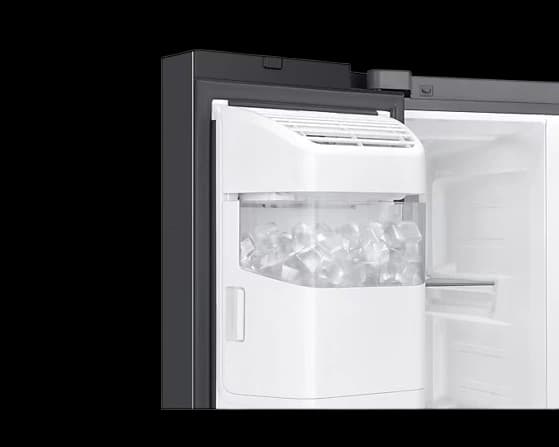
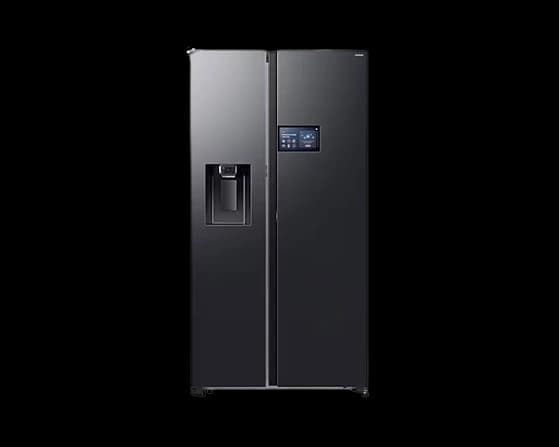
615 L Bespoke AI Refrigerator SBS –AI Home Black DOI
RRP: S$4,256
Product highlights
What is a subscription?Click to learn moreBuy vs subscribeClick to learn more
Buy after your first month. Upgrade or extend at term end.
Delivered in 3-5 days
All major payment methods included


Colour
- Black DOI
Storage
Trade In
Ready to trade in your old device? Just hit "Add a trade-in", and we'll hook you up with Mister Mobile after you check out!
Product details
Key Features
Modelcode: RS90F65D3FSS
9" LCD AI Home*
Get smart in your kitchen with AI Home*. Manage smart devices**, access apps, and get personalised info from a sleek 9" LCD screen that gets activated when you are near, while enjoying seamless interaction powered by Bixby***. With built in SmartThings Hub****, control connected devices without extra hardware.
AI Energy Mode
Reduce your energy use by up to 10%* with AI Energy mode in SmartThings Energy**. If your estimated energy usage exceeds your preset target, it gives you an option to save energy***. It intelligently adjusts the compressor speed and defrost cycle, based on your usage pattern and surroundings.
Auto Open Door
Open the refrigerator effortlessly! The Auto Open Door has sensors on both sides that helps you open it* when you lightly touch them. Sensor lights make them easy to find and it makes a sound to alert you as it opens. And, with no handles sticking out, it has a stylishly seamless appearance.
On-device Bixby
Enjoy a convenient way to control the refrigerator. Samsung Bixby* is built-in, so you can control settings, select functions and ask questions using your voice. And with the latest update, it now communicates based on prior conversation contexts and can recognise multiple commands in one sentence**.
Important Information & Disclaimers
9" LCD AI Home*:
* Wi-Fi connection and Samsung account login required to access the AI Home, our network-based service, including apps, and other smart features available through your refrigerator. You may need to use a separate device e.g. your laptop/desktop or mobile device, to create/log into a Samsung Account. If you choose not to log-in, you will not be able to enjoy any features available on the AI Home, such as the services available on the SmartThings App and the phone call features. Recipe recommendations and Bixby accessible through the AI Home utilize AI (based on deep learning models, which may be updated periodically to improve accuracy). To access your AI recipe recommendations, click on the 'Food' service within the SmartThings App in the AI Home menu.
** Appliances must be connected to the refrigerator via the SmartThings App and using the same Samsung account.
*** You can select the door opening level using the SmartThings App. The actual angle that the doors open may vary due to the installation circumstances and usage conditions, like storing heavy items in the door bins.
**** Bixby is Samsung's brand of Internet of Things (IoT) voice assistant. Its service availability may vary depending on the country, language, and dialect.
AI Energy Mode:
* [Disclaimer text appears to be missing from the original description]
** [Disclaimer text appears to be missing from the original description]
*** [Disclaimer text appears to be missing from the original description]
Auto Open Door:
* You can select the door opening level using the SmartThings App (SmartThings is available on Android and iOS devices. Wi-Fi connection and Samsung account login required). The 'Wide-open' option automatically opens the door by an angle of 80 degrees or more, but the door does not close automatically. The 'Semi-open' option reduces the force required to open the door, and automatically closes the door after a certain period of time if the door is left open. The actual angle that the doors open may vary due to the installation circumstances and usage conditions, like storing heavy items in the door bins.
On-device Bixby:
* Bixby is Samsung's brand of Internet of Things (IoT) voice assistant. Its service availability may vary depending on the country, language, and dialect.
** Supported in the following languages: English (US, UK, India), Korean, Spanish (Latin America, Europe), French, German, Italian and Portuguese (Brazil). The following scenario is based on English (US) and may vary depending on user language settings.
Specifications
- Height
- 1786mm
- Width
- 912mm
- Depth
- 716mm
- Screen Size
- 9 inches
- Connectivity
- WiFi, Smart App
- Display
- LCD
- Dimensions
- 912mm x 1786mm x 716mm
- Weight
- 124 kg
What is subscription?
Why subscribe?
Get the latest devices without paying the full price up front — pay a low monthly fee and swap or return when you're ready.
For who?
Anyone who wants a device without the commitment of ownership — great for students, professionals, and anyone who upgrades often.
How it works?
Pick your device, choose your term and your plan, then check out. Your device ships free. When your term ends, upgrade, extend or return it. You can also buy it anytime after your first month.
Buy vs Subscribe
Your phone has passed its prime. With subscriptions, you enjoy the latest devices without the usual complications. Cinch gives you full flexibility and zero upfront cost.
615 L Bespoke AI Refrigerator SBS –AI Home Black DOI
Black DOI / 4GB
You said it best
Frequently asked questions
Everything you need to know about subscriptions, plans, repairs and more.
No. If you subscribed on or before 30 September 2026, you keep your 90% damage waiver on your current terms for as long as that subscription runs.
We won't move you onto a plan, and your monthly price doesn't change.
Nothing changes when your term ends.
Your 90% damage waiver continues for the rest of your current term and carries over into the pay-as-you-go period that follows it, on the same terms you have now.
If you take out a new subscription, extend onto a new term or take a new device, you choose a plan at that point (Core, Cinch Plus or Cinch Max) at the prices current at the time.
If you subscribed on or before 30 September 2026, nothing about your subscription is changing. Your 90% damage waiver and your price continue on your current terms, so there's nothing here you need to agree to.
Your normal cancellation terms still apply, including the Early Termination Fee if you end a fixed term early.
If you have questions about cancelling, get in touch and we'll walk you through your options.
Core doesn't include a damage waiver, so you pay the full repair cost assessed by our authorised repair partner, plus the S$25 express logistics fee. The repair cost is capped at the device's value.
If the device can't be repaired, you can buy it at the buyout price shown in your Cinch account.
Reporting damage works the same way as before: contact our CX team as soon as you can and we'll arrange collection.
Yes. On subscriptions that start from 1 October 2026, liquid damage is treated as ordinary accidental damage. It's no longer excluded.
If the device can be repaired, your plan's repair fee applies (S$75 on Cinch Plus, S$25 on Cinch Max, for standard smartphones). If it can't be repaired, your plan's rule applies: a replacement on Cinch Max, or the buyout price shown in your account on Cinch Plus.
On Core you pay the full repair cost, whatever the type of damage, plus a S$25 logistics fee.
If your subscription started on or before 30 September 2026, your original terms still apply.
Yes. What applies is the terms in force when the damage happened.
If you subscribed on or before 30 September 2026, you keep your 90% damage waiver for the life of that subscription anyway, so damage before or after that date is handled the same way.
Report it as you normally would and we'll handle it under those terms.
The terms that applied on the date we approved your service request, even if the repair itself finishes in October.
We won't move you onto different terms part-way through a repair.
Cinch Plus is S$4.99 a month. It includes a fixed S$75 repair fee per service request for accidental damage, instead of the full repair cost, plus an exclusive member discount and bonus points.
Cinch Plus is selected for you at checkout. You can switch to Core (no damage waiver) or Cinch Max before you complete your order. Once your subscription starts, your plan is fixed for the full term.
If your device has damage when you return it at the end of your term, that counts as your service request for that period, so the S$75 repair fee applies rather than the full repair cost.
Prices and fees here are for standard smartphones. Plans and fees vary by device. On foldables, Cinch Plus is included and can't be removed.
No, not at launch.
Your plan is set when you take out a subscription and runs for its term. You can't add, change or remove a plan part-way through, in either direction.
If you subscribed on or before 30 September 2026, you keep your 90% damage waiver, and you'll choose a plan when you next extend, take out a new subscription or take a new device.
If your device is damaged:
Contact our CX team as soon as you find the damage. Share photos or video of the issue.
We'll arrange express collection of your device.
Our authorised repair partner will assess the damage.
We'll confirm the outcome and the S$75 repair fee before we go ahead.
If the device can be repaired, we'll return it to you once it's done. If it can't be repaired economically, you can buy it at the buyout price shown in your account. Cinch Plus doesn't include a device swap or replacement.
If your device has damage when you return it at the end of your term, this counts as your service request, so the S$75 repair fee applies rather than the full repair cost.
Loss and theft aren't included.
On Cinch Plus, you have one service request per rolling 12 months, counted from the date of your last approved repair. Each one has the fixed S$75 repair fee. If you need a second repair before 12 months have passed since your last, that repair is charged at the full repair cost.
If your device has damage when you return it at the end of your term, it counts as your service request for that 12-month window, so the S$75 repair fee applies rather than the full repair cost.
On Cinch Max, you have one service request per rolling 6 months, counted from the date of your last approved repair, each with a fixed S$25 repair fee. A second repair within the same 6 months is charged at the full repair cost.
Cinch Max is our top plan, at S$12.99 a month alongside your subscription.
It gives you two repair service requests a year, one per rolling six months, each at a fixed S$25 repair fee, whatever the fault.
Rather than waiting for a repair, you can request a device swap for S$125, delivered the next business day. That replaces the S$25 repair fee rather than adding to it, and uses the same service request.
If a device can't be repaired economically, we'll replace it once per subscription for a fee based on the device's retail price. You can also upgrade to a new device in the last six months of your term with no Early Termination Fee.
Loss and theft aren't included. Your service requests are available while your account is in good standing.
Prices and fees here are for standard smartphones. Plans and fees vary by device. Cinch Max is available on smartphones and foldables, not on tablets, laptops or other devices.
Both include a damage waiver. Cinch Max includes more.
Repair fee: S$75 on Cinch Plus, S$25 on Cinch Max.
How often: one service request per rolling 12 months on Cinch Plus, one per rolling 6 months on Cinch Max.
Device swap: Cinch Max only. S$125 instead of waiting for a repair.
If a device can't be repaired economically: on Cinch Plus you can buy it at the buyout price shown in your account; on Cinch Max we replace it once per subscription for a fee based on the device's retail price.
Early upgrade: Cinch Max only, in the last six months of your term, with no Early Termination Fee.
Loss and theft aren't included on either plan. Prices and fees here are for standard smartphones. Plans and fees vary by device.
A device swap is available on Cinch Max. Rather than waiting for a repair, we deliver a replacement device the next business day, anywhere in Singapore, and collect the damaged one within three working days so you have time to move your data across.
The swap costs S$125. That replaces the S$25 repair fee rather than adding to it, and it uses one of your service requests.
You'll receive the same model or better. It may be refurbished and the colour may vary.
The S$125 is confirmed once we've run diagnostics on the damaged device. If it turns out it can't be repaired economically, the replacement fee applies instead, and the S$125 you've already paid comes off that fee.
A device swap is for accidental damage. It isn't available for loss or theft.
Prices and timings here are for standard smartphones. On foldables the swap is S$250 and next-business-day delivery isn't guaranteed.
Yes.
Standard smartphones: Core, Cinch Plus (S$4.99 a month) or Cinch Max (S$12.99 a month). Repair fee S$75 on Cinch Plus, S$25 on Cinch Max. Swap S$125.
Foldables: Cinch Plus is included (S$8.99 a month), or choose Cinch Max (S$17.99 a month). There's no Core option. Repair fee S$150 on Cinch Plus, S$50 on Cinch Max. Swap S$250.
Laptops, tablets and other devices: Core or Cinch Plus (S$4.99 a month). The Cinch Plus repair fee depends on the device type: iPad S$75 for a battery repair or S$150 for other damage; Galaxy Tab S$75 for a standard repair (screen, back cover, rear camera, battery and charging) or S$150 for other damage; MacBook S$150 for a standard repair (screen, keyboard and trackpad, battery and charging, housing or hinge) or S$300 for other damage; Windows and other laptops S$150 or S$300 on the same basis; headphones S$40; consoles S$60. For other gadgets, the fee is confirmed when we inspect the device. We confirm the device category on inspection, and the quote is provisional until diagnostics are done. Cinch Max isn't available.

Still have questions? We're all ears.
Can't find the answer you're looking for? Please chat to our friendly team.